What Are The Best Mapping Apps in 2025? 5 Top Options.
Bringing location data to life is now simpler than ever, thanks to the many online mapping applications available. Whether you’re a seasoned cartographer or just starting your mapping journey, we’ve compiled a list of the top online mapping apps for 2025 to help you find the ideal tool for your requirements. If you’re searching for the best online mapping apps, read on.
1. BatchGeo: Best for Entirely Customizable Google Maps
View Example Sales Map in a full screen map
BatchGeo distinguishes itself as a user-friendly mapping tool that relies on Google Maps’ strong foundation, setting it apart from many other online mapping applications on the market. With its efficient bulk mapping capabilities, BatchGeo serves both businesses and individuals, providing a convenient way to create interactive maps effectively.
BatchGeo ranked #1 in both user satisfaction and popularity in G2’s 2023 GIS Software Awards and was also named a Mapping Leader in Sourceforge’s Leader Awards in 2024. Its integration with Google Maps offers users a familiar and reliable interface for their mapping projects. This makes it an excellent choice for customizable Google Maps.
In addition, BatchGeo’s complimentary plan is a significant advantage, offering access to a range of features typically found only in paid subscriptions. Its diverse functionalities, such as creating boundary (choropleth) maps, and heat maps along with customizable map bases, marker shapes, and colors, enhance its adaptability. These features are key for advanced map customization within an online mapping solution.
For users needing even more advanced customization options, BatchGeo offers a paid subscription that allows up to 100,000 markers per map. This plan also includes measurement and routing features, and supports up to 10 team members for one affordable price. This makes it a powerful GIS solution for teams and a top contender among online mapping platforms.
We recommend starting a BatchGeo trial to compare it with the other options below.
2. Mapline: Best for The Basics

Mapline allows you to easily place markers on a map through its proprietary interface, separate from Google’s, making it a distinct online mapping app.
With Mapline, you can add routes and define geographic areas, and use built-in measurement tools. Their “Geospatial starter” plan enables you to create maps, plot locations, and explore basic functions. You can upload up to two datasets, each with up to 500 locations, and create territory maps, heat maps, and draw a coverage radius. Larger organizations can access tailored solutions for analytics, dispatching, scheduling, and operations. The pricing and functionality for these products are only available from Mapline Sales.
Interactive Maps Made Easy
Sign Up NowThat said, the self-serve option is worth a test drive, even just to get hands-on with its mapping features. Some users find Mapline less user-friendly, with its interface a bit confusing compared to the next top mapping app. The paid products may provide a more focused offering, but you’ll want to make sure the underlying map does what you need.
3. Maptive: Best for Complex Territory Maps Online

Maptive is another straightforward and simple-to-use option for online mapping. It assists in creating and sharing maps with ease.
It’s particularly strong for developing detailed maps for sales regions or territories. You can draw polygons on the map to define different areas, geographic boundaries, and apply color-coding. It also allows for the addition of heat maps, demographic data, and calculations for distance or drive time. A 10-day free trial is available.
It’s important to note that accessing more complex features likely requires a team account, which can be costly, starting at approximately $2,500 USD annually for 5 users.
4. Maptitude: Best for Desktop and Offline Mapping

Maptitude is primarily a desktop application for map creation. While it does offer online capabilities, most customization and work occur offline on your computer. It stands out from purely online mapping apps due to its robust offline functionality.
Key advantages include the ability to integrate external geographic data into maps, as well as being able to create and view maps without an Internet connection. Examples often show static visualizations that can be shared as images. A free trial is also available.
The pricing structure also isn’t as simple as web-based software. Maptitude starts at $695 USD per user annually for desktop software access, making it a different kind of GIS software investment compared to typical online mapping solutions.
5. ESRI ArcGIS Online: Best for Comprehensive Online GIS Features
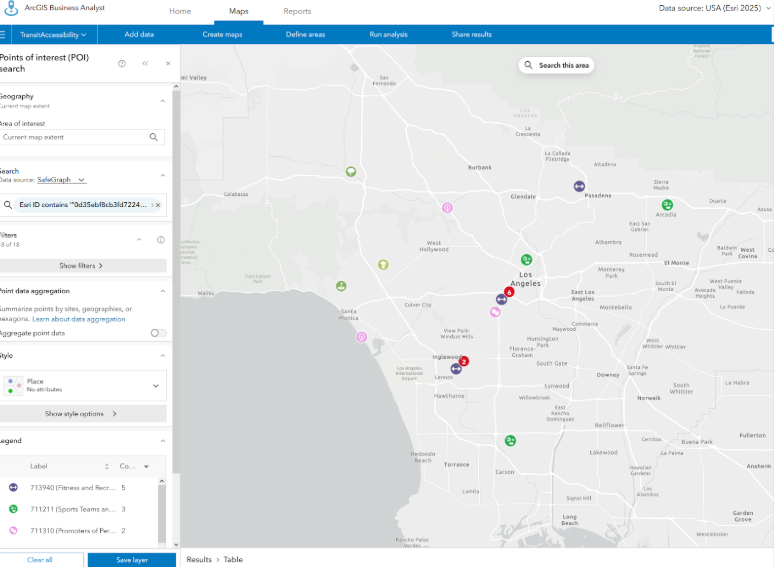
As the recognized industry standard for cartography and GIS, ESRI ArcGIS Online is an essential inclusion in our list of top online mapping applications. This well-known software supports businesses and individuals requiring robust spatial analysis and map creation tools. ESRI ArcGIS Online stands out for its versatility, providing a broad suite of features used globally by professional GIS engineers. From precise geolocation to advanced analytics, it’s the primary tool for those needing extensive map customization beyond what Google Maps offers, making it a leading online GIS platform.
The main challenge with ESRI ArcGIS Online is its steep learning curve, which often demands a significant time investment. Additionally, its cost can be a consideration, especially when compared to more affordable web-based mapping alternatives that can address most common mapping needs.
Choosing A Mapping Application
When selecting a mapping application, numerous options exist. Mapline, Maptitude, Maptive, and ESRI ArcGIS Online are all excellent choices for specific requirements. However, BatchGeo stands out as one of the most user-friendly and intuitive solutions among the best online mapping apps. This comes from its seamless integration with Google Maps and its specialized customization features that extend beyond the basics , all with no coding required. This makes it ideal for easily creating customizable Google Maps.
Give BatchGeo a try now and make Google Maps work for you–with faster geocoding, route optimization, password protection, 10 users, PDF support, and more.