Planning a Vacation with ChatGPT
Planning a vacation often starts with collecting ideas. You read articles, save recommendations, and ask friends what not to miss. Before long, you have a long list of places to see, but no clear sense of how they fit into a limited number of days, what’s essential versus optional, or what you can realistically see in a single day without spending half your time in transit.
AI tools like ChatGPT make it easy to generate that list quickly. Mapping those places helps you decide what actually makes sense once time and distance come into play.
Use AI to Generate Places to Visit
For this example, we’re planning a first-time visit to London with four days to explore. Instead of trying to do everything, we’ll focus on historic landmarks, museums, and food-oriented neighborhoods. Instead of hand-building an itinerary , we’ll start by asking an AI tool, in this case a large language model (LLM) for ideas. We can then use a map to make sense of the results.
From there, we can plan activities, buy tickets, and shape the flow of our limited days. That context is important: it helps the LLM suggest places that naturally fit together, instead of overwhelming us with a list of everything the city has to offer.
You might start with prompts like:
- “What are must-see historic landmarks in London?”
- “Which London museums and markets are worth prioritizing?”
- “List some well reviewed restaurants in London.”
We also recommend explicitly requesting the format you want the list in, and asking for addresses for added convenience.

These kinds of prompts do more than just generate names. They help you think about importance. Some places deserve half a day, while others are short stops you can quickly squeeze in. The goal isn’t to lock in a schedule, but to build a list that reflects your priorities upfront and is easy to map later.
Once you have your initial list, you can add additional prompts to refine it further.
Turn the List Into a Map
Interactive Maps Made Easy
Sign Up NowOnce you have your location list, you can see how those places relate to each other geographically. If you didn’t request your list as a CSV, you’ll want to convert it now. This is also a good time to add notes like estimated time spent, priority level, and whether each item is a must-see or optional to you.
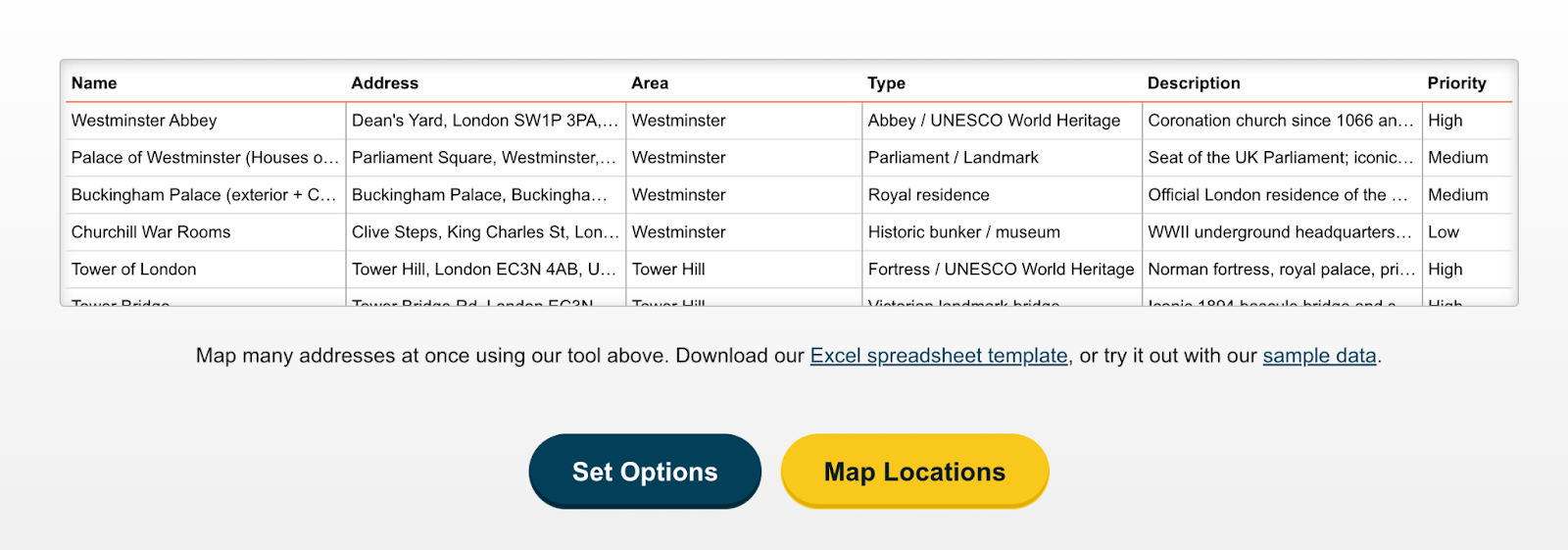
Upload the spreadsheet to BatchGeo and generate a map, making sure that extra context comes through in the data you upload. Seeing everything laid out at once can change how the list feels. Places that seemed unrelated may cluster naturally, while others may stand out as outliers that require extra travel time. Attractions that look close on paper may fall into very different parts of the city.
This visual step is where planning starts to become realistic. The map helps you understand which places belong together on the same day and which ones may need to be saved for another trip.
View Planning a London Trip via ChatGPT in a full screen map
What the Map Reveals About Time and Priorities
Seeing your list on a map makes it easier to spot when a day might start to feel too full. Attractions that cluster together may still require more time than expected once you factor in queues, transit, or how long you want to linger. Museums, historic sites, and markets often take longer than you think, even when they’re close to each other. Photo stops are easy to fit in when they’re close to another stop, but nearly impossible if they’re across the city.
This is where priority really matters. By ordering your list based on what you truly care about, you give yourself flexibility. You can also label locations as optional, so priority can shift naturally based on distance. If you spend extra time at a museum or wander longer through a neighborhood, you can skip a lower-priority stop without feeling like the plan is falling apart.
Use your initial map to start narrowing down locations until the list feels right!
Create Your Own Map
Planning a great vacation is less about checking off attractions and more about making thoughtful choices with the time you have. AI helps you generate ideas quickly, and mapping those ideas helps you see what fits together in a realistic way. And if you’re planning a road trip, make sure you read our article on planning a great one with AI.
BatchGeo makes it easy to turn any spreadsheet into a map you can explore and share. Whether you’re planning a trip, mapping customer locations, organizing business sites, or visualizing delivery routes, seeing your data on a map can reveal patterns you might otherwise miss. Try BatchGeo today and see what your data looks like on a map.