George Santayana said, “Those who cannot remember the past are condemned to repeat it.” Let’s do our best to avoid that, starting by looking at major events from 100 years ago.
Between January and December of 1924, 87 political, sporting, criminal, technological, educational, social, cultural, and more events occurred in the U.S. and internationally that have repercussions today.
View 1924 events in a full screen map
The US’s Political, Social, and Cultural Events
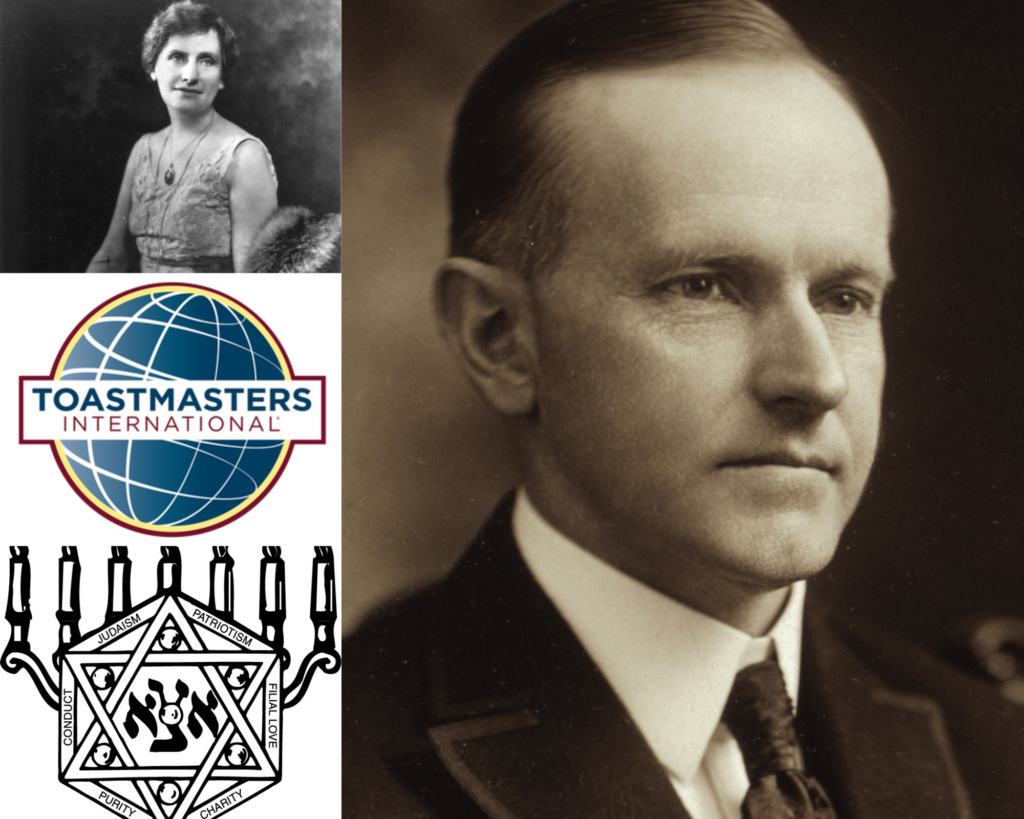
Nellie Tayloe Ross, Calvin Coolidge (both public domain)
Of the 87 major events that took place 100 years ago, 24 are focused on one country: the United States. The most common categories of these U.S.-based events are political, social, and cultural.
Several of the political events surrounded the 35th presidential election, which took place in November of 1924. Democrats nominated John W. Davis of West Virginia for President in July of 1924. However, Republican Calvin Coolidge would go on to defeat both him and Progressive Robert M. La Follette Sr. in November. While not presidential, Wyoming also notably elected the U.S.’s first woman governor, Nellie Tayloe Ross, the same month.
The year was also significant for Greek life and other clubs. For example:
- In Omaha, Nebraska, 14 teenagers founded the oldest Jewish youth fraternity (Aleph Zadik Aleph) as the Jewish community was typically not allowed into Greek fraternities.
- Four students of Loyola University Chicago founded the religious Alpha Delta Gamma fraternity.
- Ralph C. Smedley founded The Toastmasters Club in order to improve the communication skills of the young men under his charge at the YMCA in Santa Ana, California.
There were also two of each of the following types of events that year in the U.S.: disaster, crime, business, and art and music. Check out the rest of the U.S.’s events on the map before moving on to the ones that occurred internationally in 1924.
Major International Incidents

While 24 major 1924 events took place in the U.S., the majority (63) happened internationally, especially politically in the United Kingdom.
In January, Ramsay MacDonald became the first Labour Prime Minister of the United Kingdom. One month later, the United Kingdom recognized the Soviet Union. Additionally, in October of 1924, the British press published the Zinoviev letter, a directive from Grigory Zinoviev, head of the Communist International in Moscow, to the Communist Party of Great Britain.
Meanwhile, multiple technological advancements were made in the U.K. In London, the Royal Greenwich Observatory broadcasted a radio time signal for the first time. Later that year, Harry Grindell Matthews attempted to demonstrate his “death ray.”
Even so, the U.K. was not the only non-U.S. country with many major events in 1924: France (6), Germany (5), and Italy (4). And while these may be from different countries, they fall into the same categories.
The 16 Categories of 1924 Events
We’ve mentioned the types before, but here’s the full breakdown of the 16 categories these major 1924 events fall into:
| Category | No. of 1924 Events |
|---|---|
| Politics | 36 |
| Sports | 6 |
| Crime | 5 |
| Technology | 4 |
| Social & Culture | 4 |
| Education | 4 |
| Disaster | 4 |
| Conflict | 4 |
| Business | 4 |
| Exploration | 3 |
| Aviation | 3 |
| Art & Music | 3 |
| Science | 2 |
| Massacre | 2 |
| Historical | 2 |
| Nature | 1 |
Sports is almost always a popular category, and 1924 was no different, especially considering it was an Olympic year. In January, the first Winter Olympics opened in Chamonix, France while the 1924 Summer Olympics opening ceremonies were held in Paris later in the year. During those Summer Olympics, Finnish runner Paavo Nurmi won the 1,500 and 5,000 m runs within two hours of each other.
The year was a big one for Canadian sports as well when Canada’s National Hockey League expanded to the United States for the first time with the inclusion of the Boston Bruins. Earl W. Bascom, rodeo cowboy and artist, also designed and made rodeo’s first one-hand bareback rigging at Stirling, Alberta, Canada the same year.
Group your data in a similar way when you map it with BatchGeo. And don’t miss what you can also learn from years past: 100 years since 1917, 1918, 1919, 1920, 1921, 1922, and 1923.
_(5403225223).jpg)